
+92-301-453-2019Info@mhtechsolutions.comChat on WhatsApp ↗
MHTech SolutionsGet UDM Free ↓
ERP · POS · Applications · Automation

ERP, POS & custom software.
For the way you work.

Business systems for retail teams, trading companies and growing operations. Build around your workflows—or download UDM, our free Windows download manager.

Custom business systemsDesktop utilitiesConnected workflows
UDM / Your Download Manager
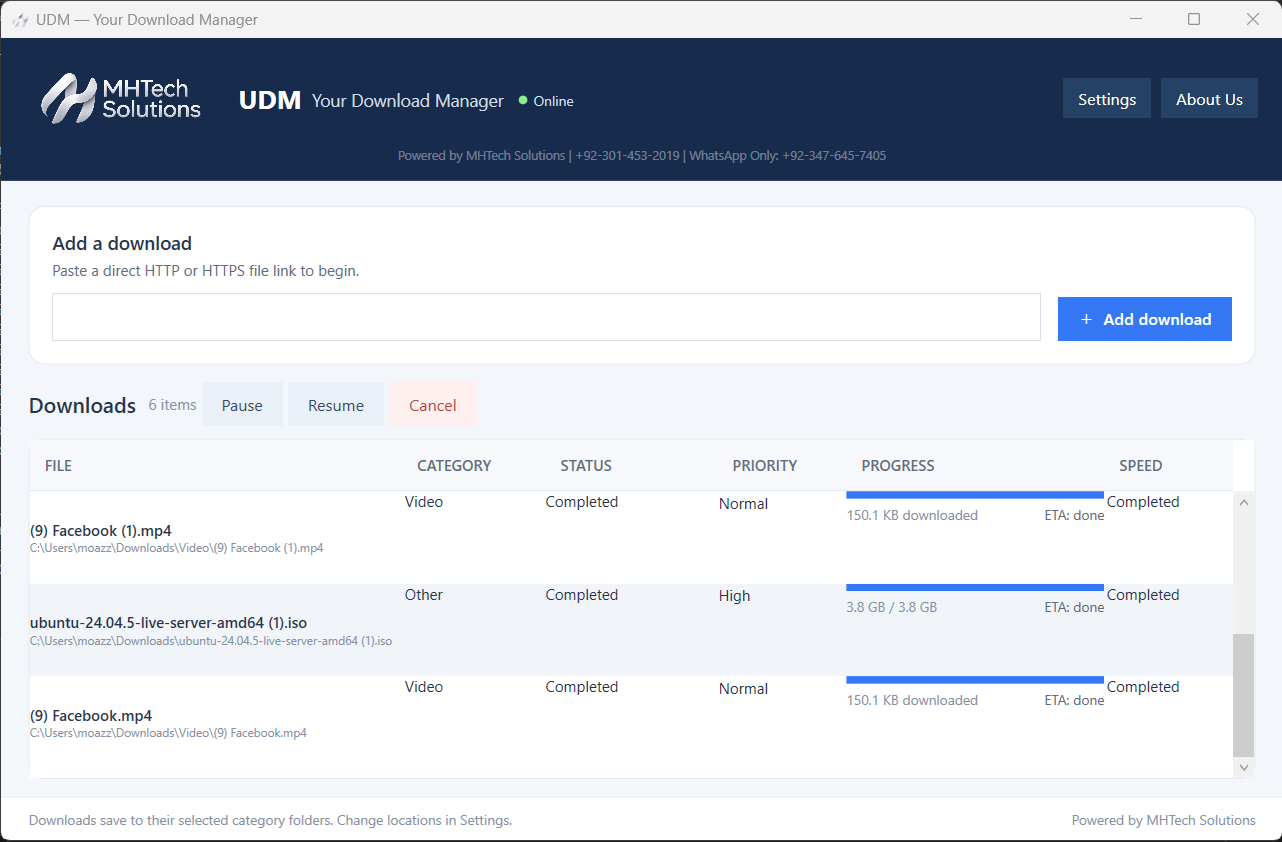
UDM desktop application showing download progress and controls
UDM 0.1.0 · Free
Windows 64-bit · 60.6 MB
Free download ↗
OUR FOCUSEnterprise systemsRetail operationsDesktop productivityBusiness integration

Choose your next software solution.

Custom business applications and a free desktop utility, with a clear next step for each.

Custom business solution

ERP & Business Systems

Connect the processes behind your business.

  • Finance and accounting workflows
  • Inventory and operational processes
  • HR, payroll and reporting requirements
Explore ERP solutions →
Custom retail solution

Point of Sale Software

A clearer workflow from checkout to stock.

  • Sales, returns and receipt requirements
  • Product and inventory workflows
  • Store controls and sales reporting
Explore POS solutions →
UDM download workspace
Free Windows download

UDM — Your Download Manager

Keep your downloads in one desktop workspace.

  • Pause, resume and download priorities
  • Category folders and speed settings
  • Chrome / Edge browser helper
Get UDM Free ↓

ERP and POS scope is agreed per project. UDM 0.1.0 is available as a free download.

A practical approach

Your workflow comes first.
The software follows.

Every organization works differently. We start with your processes, users and data before deciding how the technology should fit.

Get to know MHTech Solutions →
  • Understand the real requirement
    Map the problem, existing workflow and expected outcome.
  • Define a manageable scope
    Agree on modules, integrations and delivery priorities.
  • Build for everyday users
    Keep the interface and working process clear and practical.
  • Plan the handover
    Discuss deployment, documentation and support needs.
From idea to implementation

A clear path forward.

01 / DISCOVER

Understand your business

Identify your users, current systems and workflow challenges.

02 / DEFINE

Agree the solution

Set a practical scope, priorities and expected deliverables.

03 / DEVELOP

Build and review

Develop the agreed workflows and review them against requirements.

04 / DELIVER

Prepare for use

Plan implementation, user guidance and ongoing requirements.

A few questions before we begin.

Can I see a demo before deciding?

Contact us with your business type and required workflows. We can discuss which demonstration or walkthrough is relevant to your enquiry.

Can you work with my existing data?

Share the format and a description of your current system. Migration feasibility, data cleanup and scope are assessed before they are included in a project.

How are training and support arranged?

Training, documentation, support channels and any ongoing support agreement are defined with the project scope.

Will the software work without internet?

This depends on the application and deployment. Tell us about your connectivity needs so offline requirements can be assessed. Devices still need power.

Is UDM free, and how are business projects priced?

UDM 0.1.0 is free to download and use. ERP, POS and custom development are quoted according to the agreed requirements. Contact us for a project quotation.

Let’s build your next solution.

Share your requirements with our team and take the next step.

Plan your project ↗
Android apps · Coming soon to our software collection.View Android category →
WhatsApp