Download UDM
Download the Windows installer for UDM 0.1.0. For setup and browser integration, follow the installation guide.
- Product
- UDM
- Publisher
- MHTech Solutions
- Version
- 0.1.0
- Compatibility
- Windows (64-bit)
- License
- Free
Powered by MHTech Solutions.
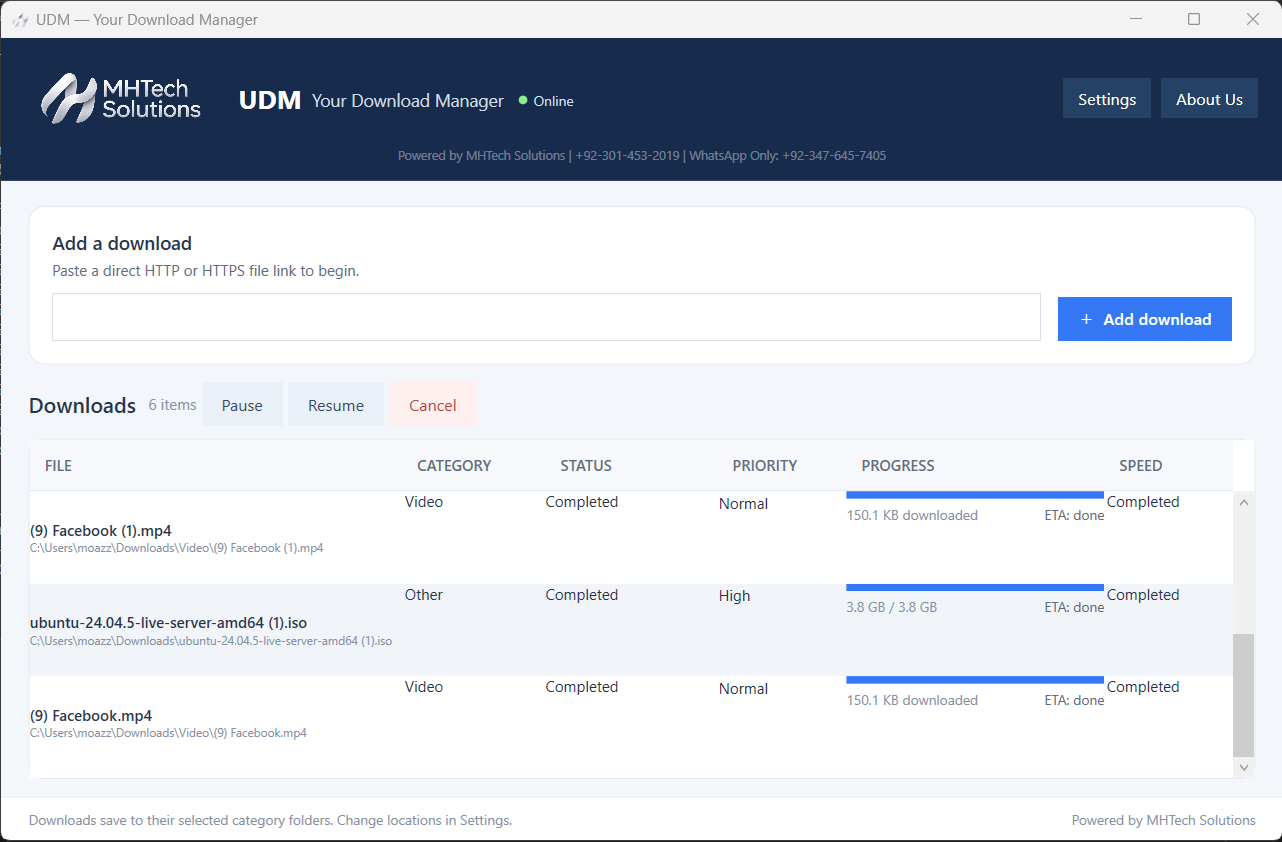
Manage direct file downloads, priorities and category folders in one Windows workspace.
UDM — Your Download Manager, powered by MHTech Solutions, brings downloads into one desktop workspace, with pause/resume controls, priority settings and category folders. Version 0.1.0 is available below for Windows (64-bit).
UDM 0.1.0 is free to download and use. Follow the installation guide for the application and Chrome / Edge browser helper. Confirm compatibility with your Windows version before installing.
Download the Windows installer for UDM 0.1.0. For setup and browser integration, follow the installation guide.
Control downloads from the app. Resuming depends on the source server and the file still being available.
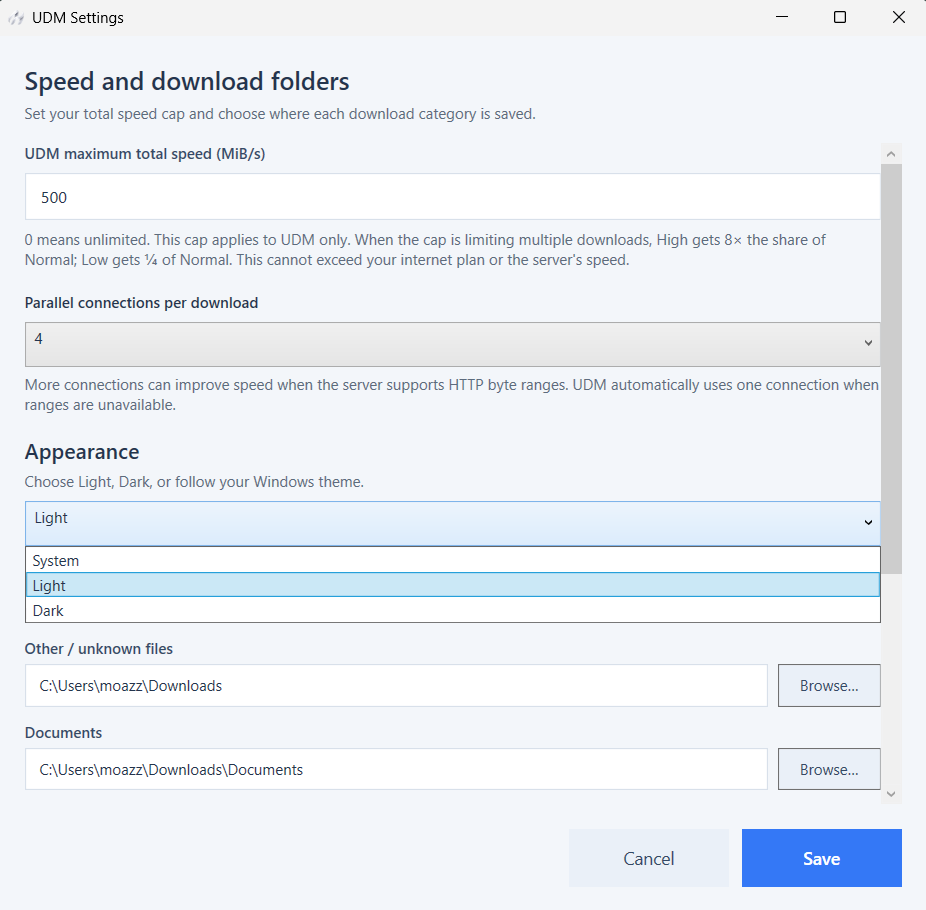
Set a total download speed cap and parallel connection preference. Actual speed depends on your connection and the source server.
Choose category download folders and use a light, dark or system appearance.
Use the browser helper with Chrome or Edge. Follow the separate helper setup steps in the installation guide.
Send supported direct video sources to UDM. Availability depends on the source; protected streams and every website are not supported.
Download UDM 0.1.0 for Windows 64-bit. No purchase is required for this release.
Preview the download workspace, settings and browser helper. Video downloads require a supported direct media source.
Download the installer using the button above or from our Software Downloads page. Both links provide UDM-Setup-0.1.0.exe.
This release targets Windows (64-bit). Contact us to confirm compatibility with your Windows version.
Yes. UDM 0.1.0 is free to download and use. Review the terms supplied with the installer before installing.
Current release with direct HTTP/HTTPS file downloads, pause/resume controls, priorities, category folders, speed settings and a browser helper.
Read the complete setup guide →